
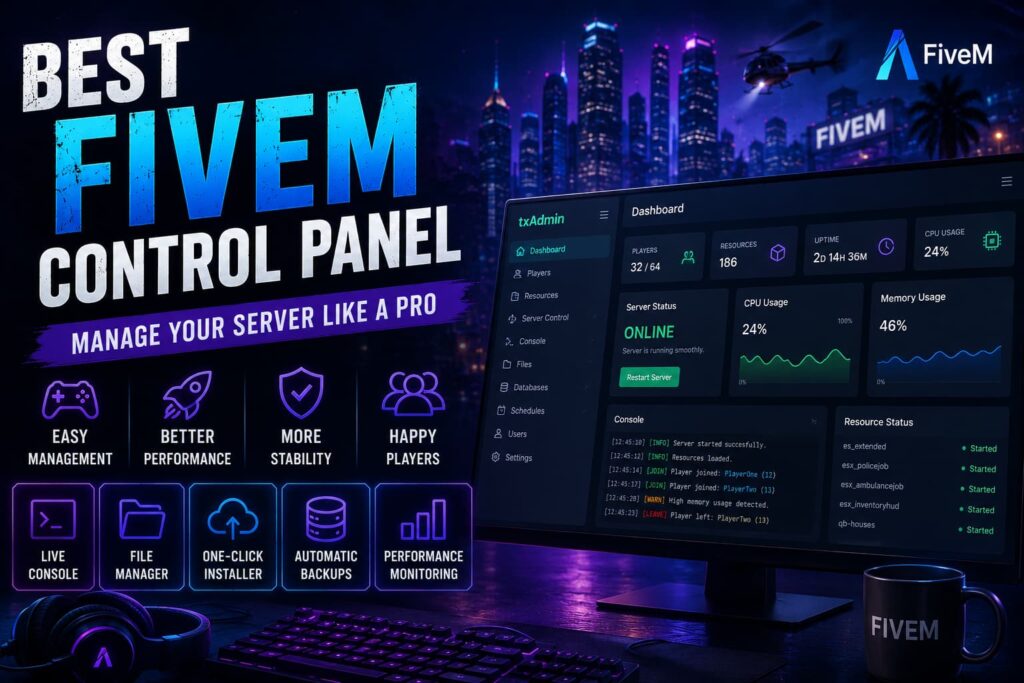
Managing a FiveM server doesn’t have to mean spending hours working with command-line tools and manually editing configuration files. A good control panel gives you a central place to start, stop, restart, monitor, and manage your server.
Whether you’re running a small private server or building a larger roleplay community, the right control panel can make everyday administration much easier.
There are several FiveM-compatible control panels available, ranging from FiveM-focused tools such as txAdmin to broader game-server management platforms such as Pterodactyl, AMP, and TCAdmin.
In this guide, we’ll compare the best FiveM control panels in 2026, explain what each one is best suited for, and help you choose the right option for your server.
What Is a FiveM Control Panel?
A FiveM control panel is a web-based interface that helps you manage your server without performing every task through the command line.
Depending on the panel and hosting setup, you can use it to:
- Start and stop your server
- Restart the server
- View console output
- Manage resources
- Upload and edit files
- Configure server settings
- Manage players and permissions
- Schedule tasks and restarts
- Monitor server activity
- Create or manage backups
A control panel doesn’t replace your server hardware. It simply gives you tools to manage the infrastructure and FiveM server more conveniently.
When combined with reliable FiveM Server Hosting, a suitable control panel can make server administration considerably easier.
Why Does a FiveM Control Panel Matter?
Your control panel can become one of the tools you use most often as a server owner.
Instead of connecting to the server and manually managing every process, a good panel gives you a central interface for common tasks.
The biggest benefits include:
- Faster server management
- Easier resource administration
- Convenient console access
- Simpler troubleshooting
- Scheduled server tasks
- Better visibility into server activity
For growing communities, these features can save considerable administration time.
Best FiveM Control Panels
Different panels are designed for different types of users. Here’s how the main options compare.
1. txAdmin — Best for FiveM Servers
Best for: Most FiveM server owners
txAdmin is a full-featured web-based server management interface designed specifically around FiveM server administration.
It is integrated with FXServer and provides many of the tools FiveM server owners need without requiring a separate third-party management platform.
Key Features
- Live server console
- Player management
- Resource management
- Server restart controls
- Scheduled tasks
- Server monitoring
- Recipe-based server deployment
- Admin permissions
- Configuration management
Pros
- Designed specifically for FiveM
- Free to use
- Easy to access through a web interface
- Strong FiveM integration
- Useful for both beginners and experienced administrators
Cons
- Less suitable if you need a single panel to manage many different game types
- Advanced hosting-provider requirements may call for a broader management platform
Who Should Use txAdmin?
For most people running a FiveM server, txAdmin is the logical starting point.
If your main goal is to manage one or more FiveM servers rather than build a multi-game hosting platform, txAdmin provides the FiveM-specific functionality you need without unnecessary complexity.
2. Pterodactyl — Best for Advanced Multi-Server Management
Best for: Advanced users, developers, and hosting environments
Pterodactyl is an open-source game-server management panel built around containerized server environments.
Unlike txAdmin, it isn’t limited to FiveM. It can be used to manage different types of game servers from one management environment.
Key Features
- Multi-server management
- Container-based isolation
- Resource allocation
- File management
- User permissions
- Backup functionality
- API access
- Server controls
Pros
- Open source
- Highly customizable
- Supports multiple game types
- Useful for managing multiple servers
- Strong resource and permission controls
Cons
- More complicated to install and configure
- Requires more technical knowledge
- Can be unnecessary for someone managing a single FiveM server
Who Should Use Pterodactyl?
Pterodactyl makes more sense if you’re comfortable with server administration and want greater control over multiple server instances or different games.
For a simple FiveM setup, however, its additional complexity may not provide much benefit over a FiveM-focused solution.
3. AMP — Best for Multi-Game Management
Best for: Users who manage several different game servers
AMP is a commercial game-server management platform that supports multiple games and provides a centralized interface for server administration.
Key Features
- Web-based management
- Server instance management
- User management
- Scheduling
- Backup tools
- Monitoring
- Automated management features
Pros
- Modern management interface
- Supports multiple games
- Useful for managing several server instances
- Commercial support and development
Cons
- Paid software
- May be more than you need for a single FiveM server
- Adds another software layer to your hosting setup
Who Should Use AMP?
AMP can be useful if FiveM is only one part of a larger game-server setup and you want to manage different games through the same platform.
4. TCAdmin — Best for Hosting Providers
Best for: Commercial game-server hosting environments
TCAdmin is a commercial game-server management platform that has been used by hosting providers to manage customer game servers.
It focuses more heavily on hosting-provider workflows than the average individual FiveM server owner needs.
Key Features
- Server deployment
- User management
- Remote server administration
- Server monitoring
- Hosting automation
- Integration capabilities
Pros
- Designed for hosting environments
- Mature platform
- Useful for managing many customer servers
- Strong automation capabilities
Cons
- Paid software
- More complex than necessary for most individual server owners
- Better suited to hosting businesses than private communities
Who Should Use TCAdmin?
If you’re operating a commercial game-server hosting business, TCAdmin can be worth considering.
For a single FiveM community, however, a simpler FiveM-focused solution is usually more practical.
5. Custom Hosting Panels
Some hosting providers develop their own control panels around their infrastructure.
These panels can combine server management with hosting-specific features such as:
- One-click deployment
- Resource management
- Backup controls
- Server monitoring
- Billing integration
- Support tools
- Server configuration
The quality and functionality of a custom panel depends entirely on the provider.
If you’re comparing hosting companies, don’t judge them only by the appearance of their panel. Check the underlying hardware, support, backups, DDoS protection, server locations, and available resources as well.
Which FiveM Control Panel Is Best?
The best option depends on what you’re trying to accomplish.
For Most FiveM Server Owners: txAdmin
If your main goal is running a FiveM server, txAdmin is the easiest recommendation.
It is built around FiveM server management and provides the essential tools most communities need.
For Advanced Users: Pterodactyl
Choose Pterodactyl if you need greater control over server environments, multiple servers, or multiple game types and you’re comfortable with technical administration.
For Multi-Game Users: AMP
AMP is worth considering if you want a commercial platform for managing several different game servers.
For Hosting Providers: TCAdmin
TCAdmin is more appropriate for businesses managing customer game servers rather than individual FiveM communities.
Features to Look for in a FiveM Control Panel
Before choosing a control panel, consider which features you’ll actually use.
Server Console
A live console allows you to view server output and troubleshoot problems without manually connecting to the underlying machine.
Resource Management
Being able to start, stop, and restart resources makes it easier to manage scripts and server components.
File Management
A built-in file manager can simplify configuration changes and resource uploads.
Scheduling
Scheduled restarts and other automated tasks can reduce repetitive administration.
Backup Management
Backups are important for protecting server data and configuration files. Check what is actually included by your hosting provider rather than assuming every control panel provides the same backup system.
User Permissions
If multiple staff members help manage your FiveM server, granular permissions can prevent everyone from having unrestricted access.
Performance Monitoring
Basic resource and server monitoring can help identify potential CPU, memory, or resource-related problems.
If you’re trying to understand the hardware side of your setup, our guides on FiveM CPU Requirements, How Much RAM Does a FiveM Server Need, and FiveM Bandwidth Requirements cover the main infrastructure considerations.
Control Panel vs FiveM Hosting
A control panel and a hosting service are two different things.
The control panel gives you tools for managing your server.
The hosting provider supplies the underlying infrastructure where your server runs.
That infrastructure can include:
- CPU
- RAM
- NVMe storage
- Network connectivity
- DDoS protection
- Backups
- Server locations
- Technical support
A powerful control panel cannot compensate for insufficient hardware or poorly optimized server resources.
If you’re unsure what hardware your community needs, start with our FiveM Server Requirements guide.
Does the Control Panel Affect FiveM Performance?
Generally, you shouldn’t choose a control panel expecting it to dramatically increase your FiveM server’s performance.
The biggest performance factors are usually your server hardware, configuration, player count, framework, and resources.
For example, a poorly optimized resource can create performance problems regardless of which control panel you’re using.
If your server is already experiencing performance issues, check how to speed up your FiveM server before assuming the control panel is the problem.
Your framework and scripts also matter. If you’re building an ESX or QBCore server, choosing well-maintained resources can make server management easier.
You can explore our guides to the Best ESX Scripts for FiveM and Best QBCore Scripts for FiveM.
Choosing FiveM Hosting With the Right Control Panel
If you don’t want to manage the underlying server infrastructure yourself, managed FiveM hosting can simplify the entire setup.
With FiveM Server Hosting, you can focus on your server, scripts, framework, and community while the hosting environment handles the underlying infrastructure.
When comparing hosting providers, look beyond the control panel and check:
- CPU specifications
- RAM options
- NVMe storage
- DDoS protection
- Backup policy
- Server locations
- FiveM and txAdmin support
- Technical support
- Upgrade options
For example, Revive Hosting’s FiveM plans use Ryzen 9 7900 processors, DDR5 memory, NVMe Gen4 storage, DDoS protection, and provide access to txAdmin.
You can review the available FiveM Server Hosting plans and compare the available resources for your community.
If you’re deciding between managed FiveM hosting and a VPS, our guide on FiveM Hosting vs VPS Hosting explains the main differences in setup, control, maintenance, and cost.
Tips for Better FiveM Server Management
Regardless of which control panel you choose, good server-management practices still matter.
Keep Resources Updated
Outdated resources can cause compatibility and stability issues. Keep your scripts and server components maintained.
Remove Unused Resources
If you no longer use a resource, remove it instead of leaving unnecessary scripts running.
Maintain Backups
Keep reliable backups of important server data and configuration files so you can recover from mistakes or unexpected problems.
Monitor Resource Usage
Keep an eye on CPU, RAM, and resource performance as your community grows.
Test Before Deploying
Test new scripts and configuration changes before applying them to a live production server.
Plan for Growth
Your hosting requirements can change as your player count, scripts, and framework configuration grow. Review your hardware requirements periodically rather than waiting for performance problems.
Final Thoughts
The best FiveM control panel depends on how you manage your server.
For most FiveM server owners, txAdmin is the best overall choice because it is designed specifically for FiveM and provides the core management features needed for everyday server administration.
Pterodactyl is a stronger option for technically experienced users who need more control over multiple servers or game types. AMP is useful for multi-game environments, while TCAdmin is better suited to commercial hosting operations.
But the control panel is only one part of the equation. Your server’s hardware, network, configuration, resources, and hosting environment have a much greater impact on the overall experience.
Choose the panel that fits your management needs, then pair it with reliable infrastructure that can support your FiveM community.
Frequently Asked Questions
What is the best FiveM control panel?
For most FiveM server owners, txAdmin is the best overall choice because it is designed specifically for FiveM and provides essential server-management features through a web interface.
Is txAdmin free?
Yes. txAdmin is available as part of the FiveM server management environment and does not require a separate commercial panel license.
Can I use Pterodactyl for FiveM?
Yes. Pterodactyl can be used to manage FiveM server environments and is particularly useful for advanced users managing multiple servers or game types.
Does the control panel affect FiveM server performance?
The control panel itself is not normally the primary factor in server performance. CPU, RAM, storage, network quality, server configuration, player count, frameworks, and resources are more important.
Which control panel is best for beginners?
txAdmin is generally the easiest starting point for beginners because it is FiveM-focused and provides the core tools needed to manage a FiveM server.
Should I use Pterodactyl or txAdmin?
Choose txAdmin if your main priority is managing a FiveM server. Consider Pterodactyl if you need broader server-management capabilities, multiple game types, or more advanced infrastructure control.
Do I need a control panel for FiveM hosting?
You don’t necessarily need a separate control panel, but having a suitable management interface can make everyday server administration much easier.
Start Managing Your FiveM Server
A good control panel can make server administration faster and easier, but your hosting infrastructure remains equally important.
If you want to run your FiveM community without managing every part of the underlying server yourself, FiveM Server Hosting provides a simpler way to get started.
Choose the control panel that fits your workflow, use reliable server resources, and keep your FiveM environment properly maintained as your community grows.