
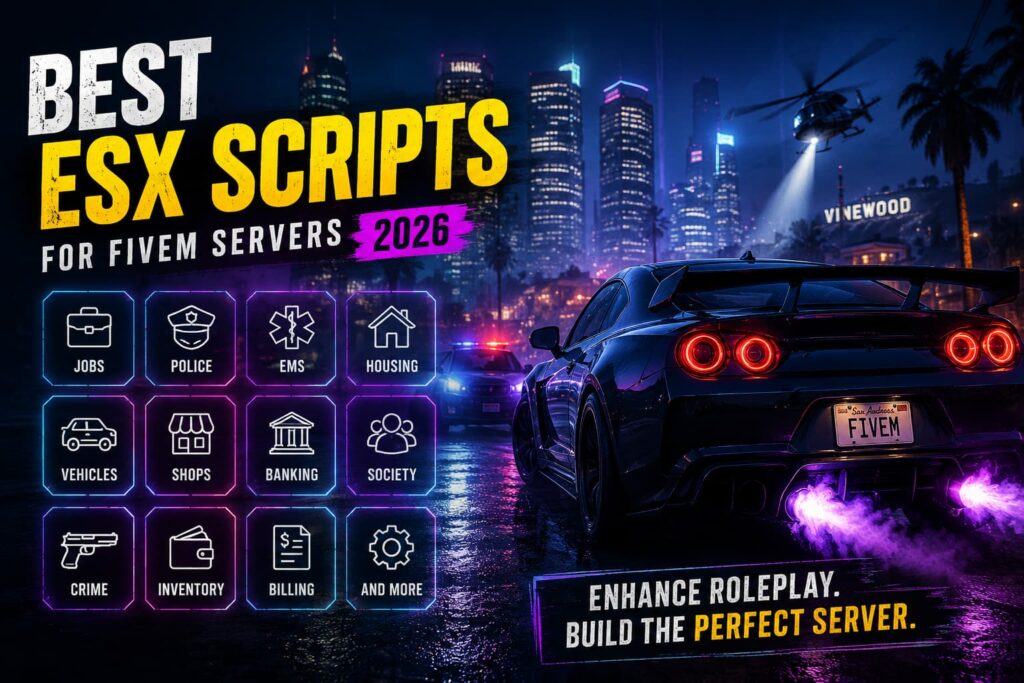
Creating a successful FiveM roleplay server takes more than a good map and an active player base. The scripts you install determine how players interact with jobs, businesses, vehicles, police systems, housing, inventory, and the in-game economy.
If you’re using the ESX framework, you have access to a large ecosystem of resources that can expand almost every part of your server.
However, installing too many scripts can create unnecessary complexity and performance problems. The goal should be to choose resources that fit your server’s gameplay, work with your ESX version, and are actively maintained.
In this guide, we’ll look at the most useful ESX scripts for FiveM servers in 2026, explain what each type of resource does, and show you what to consider before adding new scripts to your server.
What Are ESX Scripts?
ESX scripts are FiveM resources designed to work with the ESX framework. They add gameplay mechanics, jobs, player systems, businesses, economy features, and other functionality to a server.
Depending on your setup, ESX resources can provide features such as:
- Jobs and careers
- Police and emergency services
- Inventory management
- Vehicle dealerships
- Garages
- Housing
- Banking and billing
- Businesses
- Criminal activities
- Economy systems
The exact features and compatibility depend on the individual resource and the version of ESX you’re running.
If you’re still deciding which framework to use, our guide comparing ESX, QBCore, vMenu, and Qbox can help you understand the differences.
Why Do ESX Scripts Matter?
Scripts are what turn a basic FiveM server into a customized roleplay environment.
The right resources can give players meaningful activities and systems to interact with, such as working a job, purchasing a vehicle, owning property, running a business, or participating in emergency services.
But more scripts don’t automatically mean a better server.
Poorly optimized or incompatible resources can increase server resource usage, create conflicts, or introduce bugs.
That’s why quality, compatibility, and maintenance should matter more than the number of scripts you install.
Best ESX Scripts and Resources for FiveM
The best resources depend on the type of roleplay server you’re building. These are some of the most important ESX resource categories to consider.
1. ESX Legacy
Best for: Building a modern ESX-based server
ESX Legacy is the modern ESX framework ecosystem and provides the foundation for many ESX roleplay resources.
Before installing individual scripts, make sure you’re using a current and compatible ESX setup.
Important considerations include:
- ESX version compatibility
- Resource dependencies
- Database compatibility
- Framework configuration
- Compatibility with your existing scripts
Your framework should be established before you start building the rest of your server’s resource stack.
2. ESX Inventory Resources
Best for: Item and weapon management
Inventory systems are central to many roleplay servers because players need a way to manage items, weapons, money, and other resources.
Depending on the inventory resource you choose, features can include:
- Item management
- Weapon management
- Weight systems
- Item transfers
- Storage
- Custom items
- Context menus
Before installing an inventory resource, check its compatibility with your ESX version and other scripts.
An inventory system that conflicts with your existing resources can cause problems throughout the rest of your server.
3. ESX Police Resources
Best for: Police and law-enforcement roleplay
Police systems are an important part of many roleplay communities.
A suitable police resource can add features such as:
- Police jobs
- Vehicle impounds
- Fines
- Jail functionality
- Evidence systems
- Duty management
- Emergency interactions
- Dispatch integration
The exact functionality varies between resources, so choose one that fits the gameplay style and level of realism you want.
4. ESX Ambulance and EMS Resources
Best for: Medical roleplay
EMS and ambulance systems create another important roleplay loop for public servers.
Depending on the resource, medical gameplay can include:
- Reviving players
- Medical treatment
- Hospital interactions
- Ambulance jobs
- Emergency calls
- Medical equipment
- Duty systems
A well-designed EMS system can give players another meaningful career while creating interaction between police, civilians, and medical staff.
5. ESX Jobs
Best for: Expanding civilian roleplay
Jobs give players activities outside of police, EMS, or criminal gameplay.
Common job types include:
- Mechanic
- Taxi driver
- Delivery driver
- Fisherman
- Miner
- Lumberjack
- Garbage collector
The important part isn’t simply adding as many jobs as possible. Each job should have a clear purpose within your server economy.
Jobs that provide rewards without meaningful gameplay can also create economic imbalance.
6. ESX Billing and Banking Resources
Best for: Managing the server economy
Banking and billing systems can connect different parts of your roleplay economy.
Depending on the resource, you may be able to support:
- Player payments
- Business invoices
- Society accounts
- Transactions
- Salaries
- Financial records
These systems become particularly useful when businesses and player jobs are central parts of your server.
7. ESX Property and Housing Resources
Best for: Player-owned properties
Housing gives players long-term progression and a place to store items or interact with other players.
Potential features include:
- Property purchasing
- Apartments
- House interiors
- Storage
- Property access
- Player invitations
- Custom locations
Housing systems can work particularly well on roleplay servers where players have multiple progression paths.
8. ESX Vehicle Shop Resources
Best for: Vehicle purchasing and dealerships
Vehicle dealerships are another common feature of ESX roleplay servers.
A vehicle-shop resource can add features such as:
- Vehicle categories
- Purchase systems
- Test drives
- Pricing
- Dealership locations
- Financing options
Make sure the vehicle shop works correctly with your garage, vehicle ownership, and economy systems.
9. ESX Garage Resources
Best for: Vehicle storage and management
Garage systems allow players to store and retrieve owned vehicles.
Depending on the resource, features can include:
- Vehicle storage
- Vehicle retrieval
- Impound systems
- Multiple garages
- Vehicle persistence
- Job or faction garages
Garage resources should be tested carefully with your vehicle shop and ownership system to prevent conflicts.
10. ESX Criminal Resources
Best for: Expanding illegal roleplay
Criminal activities can create additional gameplay loops for players who don’t want to follow traditional civilian careers.
Common examples include:
- Store robberies
- Bank robberies
- Drug production
- Drug selling
- ATM robberies
- Money laundering
- Vehicle theft
Criminal resources should be balanced against legal jobs and the overall economy.
If criminal activities provide rewards that are significantly higher than legal jobs, they can quickly affect your server’s economy and player progression.
Free vs Premium ESX Scripts
You don’t need to buy every resource to build a good ESX server.
Both free and premium resources can be useful, but you should evaluate them based on quality rather than price alone.
Free ESX Scripts
Free resources can be useful when you’re starting out or testing a particular gameplay system.
Advantages
- No purchase cost
- Large selection
- Community-created options
- Often customizable
Potential Limitations
- Support may be limited
- Update frequency can vary
- Documentation may be inconsistent
- Code quality differs between resources
Premium ESX Scripts
Premium resources can provide additional features, documentation, support, or ongoing updates depending on the developer.
Advantages
- More advanced features
- Developer support may be available
- Documentation may be better
- Some resources receive regular updates
Potential Limitations
- Purchase cost
- Licensing restrictions
- Support quality varies by developer
Don’t assume a premium script is automatically better. Review its compatibility, update history, documentation, and community feedback before purchasing.
How to Choose the Right ESX Scripts
Before installing an ESX resource, ask a few important questions.
Is It Compatible With Your ESX Version?
Check the resource requirements before installing it. A script designed for a different framework version may require additional configuration or may not work correctly.
Is It Actively Maintained?
Look for recent updates and developer activity. An abandoned resource can become a problem when your framework or other dependencies change.
Does It Conflict With Existing Resources?
Many resources interact with the same systems.
For example, your inventory, banking, jobs, garage, and vehicle resources may all depend on similar framework functionality.
Test compatibility before deploying a resource to a live server.
Is It Actually Necessary?
Avoid installing scripts simply because they look interesting.
Every additional resource increases the complexity of your server. A smaller collection of well-maintained resources is often easier to manage than dozens of overlapping scripts.
How Does It Affect Server Resources?
Check resource usage before and after installing a script.
A poorly optimized resource can consume unnecessary CPU time or create performance problems.
How to Optimize an ESX FiveM Server
Installing good scripts is only the first step. You also need to monitor and maintain them.
Some useful practices include:
- Remove unused resources
- Keep your framework and scripts updated
- Check resource performance
- Avoid duplicate systems
- Optimize database queries
- Test scripts before deploying them
- Keep reliable backups
- Monitor CPU and RAM usage
Your hardware also needs to match the size and complexity of your server.
Our guides on How Much RAM Does a FiveM Server Need and FiveM Server Requirements explain the main hardware considerations.
For additional optimization advice, see how to speed up your FiveM server.
ESX vs QBCore
ESX and QBCore are both widely used FiveM frameworks, but they have different ecosystems and approaches.
ESX
ESX is known for its mature roleplay ecosystem and large collection of resources.
It can be a strong choice if you want access to a broad range of established roleplay systems and scripts.
QBCore
QBCore provides a different framework structure and has its own ecosystem of resources.
If you’re considering QBCore, check our guide to the Best QBCore Scripts for FiveM.
Ultimately, your choice should depend on your development experience, existing resources, server goals, and the ecosystem you want to build around.
Does Hosting Affect ESX Script Performance?
Yes, your hosting environment matters.
An ESX script still needs CPU, RAM, storage, and network resources to operate. If your server doesn’t have enough resources for its player count and workload, adding more scripts can make performance problems more noticeable.
That’s why choosing appropriate FiveM Server Hosting is important when building a public roleplay server.
When comparing hosting plans, look at:
- CPU performance
- Available RAM
- NVMe storage
- Network connectivity
- DDoS protection
- Backup options
- Server locations
- Control-panel features
- Technical support
If you’re deciding between specialized FiveM hosting and a VPS, our FiveM Hosting vs VPS Hosting comparison explains the differences in management, control, performance, and cost.
How Many ESX Scripts Should You Install?
There is no ideal number of scripts for every FiveM server.
A small community may only need a few core systems, while a larger roleplay server may require significantly more resources.
Instead of targeting a specific number, build your server around the gameplay experience you want.
Start with essential systems such as:
- Framework
- Inventory
- Jobs
- Police
- EMS
- Vehicles
- Garage
- Economy
Then add additional resources only when they provide a clear benefit to your players.
This approach also makes troubleshooting easier because you have fewer potential conflicts to investigate.
Final Thoughts
ESX remains a strong option for building a customized FiveM roleplay server, largely because of its established ecosystem of resources.
The best ESX scripts aren’t necessarily the ones with the longest feature lists. They are the resources that are compatible, actively maintained, well optimized, and genuinely useful for your server’s gameplay.
Start with the core systems your community needs, test every new resource, monitor server performance, and remove scripts that no longer provide value.
Pairing a well-maintained ESX setup with reliable FiveM Server Hosting can give you the infrastructure needed to grow your roleplay community without unnecessary server-management problems.
Frequently Asked Questions
Are ESX scripts still relevant in 2026?
Yes. ESX continues to be used by FiveM roleplay communities and has a large ecosystem of compatible resources. The most important consideration is whether individual scripts are maintained and compatible with your current ESX setup.
Which ESX scripts are essential?
For a typical roleplay server, core systems such as inventory, jobs, police, EMS, vehicles, garages, and economy-related resources are common starting points.
Are premium ESX scripts worth buying?
They can be, particularly when a premium resource provides features, documentation, updates, or support that you need. However, price alone doesn’t guarantee better quality.
Do ESX scripts affect FiveM server performance?
Yes. Resource usage varies between scripts, and poorly optimized resources can consume unnecessary CPU or create performance issues. Monitor resources and remove scripts that aren’t needed.
Can I use multiple ESX scripts together?
Yes, but compatibility is important. Different resources may interact with the same framework systems, inventory, database, vehicles, or player data. Test new resources before deploying them to your live server.
Can I switch from ESX to QBCore?
Yes, but switching frameworks is not a simple one-click change. Many scripts and framework-dependent systems may need to be replaced or reconfigured, so migration should be planned carefully.
Build Your ESX FiveM Server
The right ESX resources can give your FiveM server deeper roleplay, better progression, and more engaging gameplay.
Start with the systems your community actually needs, choose resources that are compatible with your setup, and monitor their impact on performance.
When you’re ready to build or upgrade your infrastructure, check the available FiveM Server Hosting options and choose a plan that matches your server’s player count and resource requirements.