
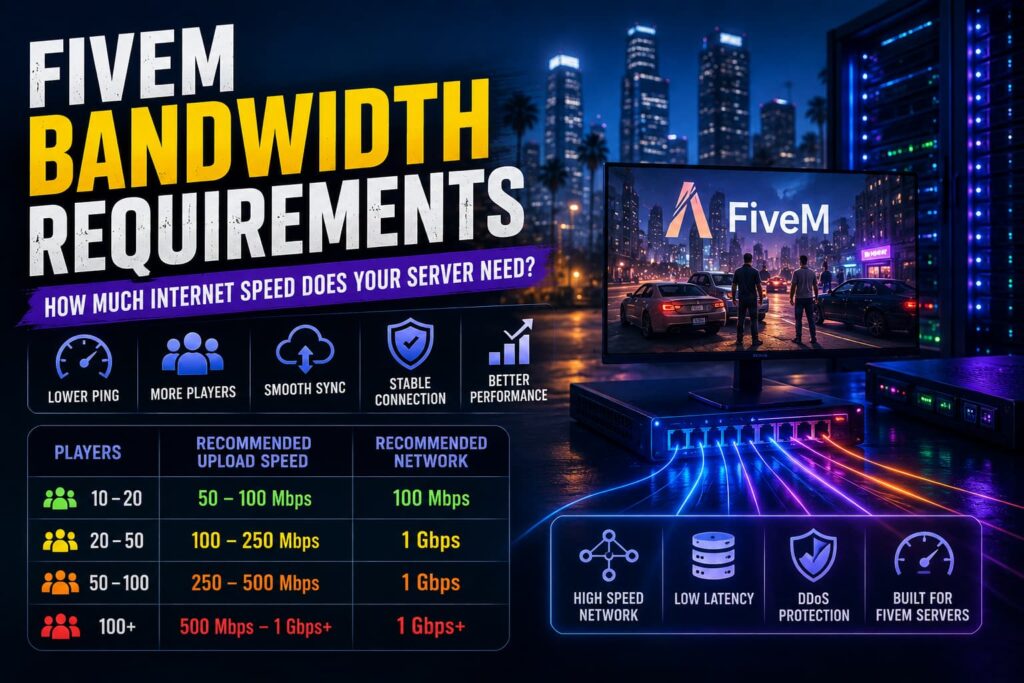
When choosing a FiveM hosting plan, CPU and RAM usually get most of the attention. But your server’s network connection is just as important for maintaining a responsive multiplayer experience.
FiveM servers constantly exchange data between the server and connected players. Player movement, vehicle synchronization, gameplay events, scripts, and other resources all contribute to network traffic.
So, how much bandwidth does a FiveM server need?
There isn’t one bandwidth number that works for every server. Your requirements depend on player count, server resources, gameplay systems, network configuration, and how much data your server needs to exchange during normal and peak activity.
In this guide, we’ll explain FiveM bandwidth requirements, what affects network usage, the difference between bandwidth and latency, and how to choose hosting with enough network capacity for your community.
If you’re looking for a complete hosting environment, you can also explore FiveM Server Hosting and compare the available server configurations.
What Is Bandwidth?
Bandwidth is the amount of data a network connection can transfer over a given period of time.
For a FiveM server, network traffic can include information related to:
- Player movement
- Vehicle synchronization
- Server events
- Gameplay interactions
- Resource communication
- Player state updates
- Voice communication
- Other multiplayer data
As your server becomes busier, the amount of data being exchanged can increase.
However, bandwidth isn’t the only network metric that matters. Latency, packet loss, routing, and network stability can also have a major effect on the player experience.
Why Does Bandwidth Matter for FiveM?
A FiveM server needs a stable network connection to communicate with its players.
When network capacity or network quality becomes a bottleneck, players may notice problems such as:
- Delayed interactions
- Rubber-banding
- Poor synchronization
- Packet loss
- Connection instability
- Unexpected disconnects
A powerful CPU cannot completely compensate for an unreliable network connection.
At the same time, having a very high-bandwidth connection doesn’t automatically guarantee low latency or better gameplay.
That’s why network capacity should be considered alongside hardware such as CPU and RAM.
For the hardware side of the equation, see our guides on FiveM CPU Requirements and how much RAM a FiveM server needs.
How Much Bandwidth Does a FiveM Server Need?
There is no universal minimum bandwidth requirement for every FiveM server.
A small private server with a limited number of players and resources has very different network requirements from a large roleplay community with extensive custom content.
As a practical approach, your hosting environment should provide:
- Enough network capacity for your expected player load
- Stable connectivity
- Low and consistent latency
- Reliable routing to your target players
- Protection against network attacks
- Additional capacity for traffic spikes and future growth
For most server owners, the goal shouldn’t be to find the lowest possible bandwidth number. Instead, choose infrastructure with enough network headroom that normal traffic doesn’t push the connection toward its limits.
How Does Player Count Affect FiveM Bandwidth?
Player count is one of the factors that can influence network usage.
As more players connect, the server has more player states, interactions, and gameplay events to process and communicate.
However, you shouldn’t assume that bandwidth requirements increase at a simple fixed rate for every additional player.
For example, two 50-player servers can have different network requirements because they may use completely different:
- Scripts
- Frameworks
- Voice systems
- Vehicles
- Gameplay mechanics
- Custom resources
This is why player count should be treated as one input when estimating network requirements, rather than a strict bandwidth calculator.
How Much Bandwidth Does Each FiveM Player Use?
There isn’t a single reliable bandwidth figure that applies to every FiveM player.
Network usage can vary depending on what is happening on the server and which resources are active.
Factors include:
- Number of nearby players
- Server activity
- Scripts and resources
- Vehicle synchronization
- Voice communication
- Gameplay events
- Custom server systems
Because usage can fluctuate, it’s better to monitor actual network traffic from your server instead of relying on a generic per-player number.
If you’re planning for a larger community, leave enough network capacity to handle periods of higher activity rather than sizing your connection around an average traffic level.
Factors That Increase FiveM Network Usage
Several parts of your server configuration can affect network traffic.
Larger Player Counts
More active players generally mean more information needs to be exchanged across the network.
This doesn’t mean every additional player consumes an identical amount of bandwidth, but larger communities should plan for higher overall network demand.
Custom Scripts and Resources
Scripts can generate additional server-client communication depending on what they do.
Poorly designed resources that repeatedly send unnecessary events can create avoidable network and CPU workload.
Vehicle and Gameplay Synchronization
Servers with active vehicle systems and other real-time gameplay mechanics can generate additional synchronization traffic.
Voice Communication
Voice systems create additional network traffic during active communication.
The amount varies depending on the voice implementation and how many players are using it.
Custom Maps and Resources
Custom assets can affect server and client resource usage, but they should not automatically be treated as a fixed bandwidth multiplier.
The actual network impact depends on how the resources are implemented and transferred.
Bandwidth vs Latency: What’s the Difference?
Bandwidth and latency are often confused, but they measure different things.
Bandwidth
Bandwidth represents how much data a connection can transfer.
Latency
Latency measures the time it takes for data to travel between the player and server.
For example, a server can have a very high-capacity network connection but still provide poor gameplay if players are located far away or the network route introduces high latency.
For FiveM, you want both:
Sufficient bandwidth + low, stable latency
Network stability and packet loss also matter because dropped or delayed packets can negatively affect synchronization even when bandwidth capacity is available.
Bandwidth vs CPU vs RAM
A FiveM server relies on several different resources, and each one solves a different problem.
CPU
The CPU handles processing tasks such as:
- Scripts
- Server calculations
- Gameplay logic
- Player synchronization
- Resource processing
RAM
RAM provides working memory for:
- Active resources
- Server processes
- Player data
- Other running services
Bandwidth
Network capacity handles communication between the server and connected players.
This includes data associated with:
- Player states
- Gameplay events
- Synchronization
- Server resources
- Voice communication
If any one of these becomes a bottleneck, server performance can suffer.
For a broader overview, read our FiveM Server Requirements guide.
How to Monitor FiveM Bandwidth Usage
Instead of guessing how much bandwidth your server needs, monitor your actual network usage.
Check traffic during:
- Normal player activity
- Peak player periods
- Large events
- Busy roleplay sessions
- Resource-heavy gameplay
Look for sustained network usage that approaches your available capacity.
It’s also useful to monitor latency and packet loss. A server may have enough bandwidth while still experiencing connectivity problems caused by network quality.
If you notice consistently high network usage, investigate which activities or resources are responsible before simply upgrading your connection.
How to Reduce Network Usage on a FiveM Server
You don’t always need to purchase more bandwidth.
Optimizing your server can also reduce unnecessary network traffic.
1. Remove Unused Resources
Disable scripts and resources that your server no longer needs.
2. Review Resource Behavior
Look for resources that generate unnecessary or excessive network events.
3. Avoid Poorly Optimized Scripts
Resource quality can affect both network and CPU usage.
4. Keep Your Server Organized
Removing obsolete resources and unnecessary systems helps keep the overall server workload manageable.
5. Monitor Before Upgrading
Measure your actual network usage before deciding that you need a larger hosting plan.
Server optimization can improve more than bandwidth usage. It can also reduce CPU workload and improve overall responsiveness.
For more performance improvements, see how to speed up your FiveM server.
Does More Bandwidth Reduce FiveM Lag?
Only when network capacity is actually the bottleneck.
If your server is reaching its available network capacity, increasing bandwidth can provide additional headroom.
But lag can also be caused by:
- High CPU usage
- Insufficient RAM
- Poorly optimized scripts
- Database issues
- High latency
- Packet loss
- Server-side configuration problems
Therefore, upgrading bandwidth isn’t always the correct solution.
Check your server’s CPU, RAM, network usage, latency, and resource performance before deciding what needs to be upgraded.
What Should You Look for in FiveM Hosting?
Bandwidth is only one part of the hosting infrastructure.
When comparing providers, look at the complete environment, including:
- Modern CPU hardware
- Sufficient RAM
- Fast NVMe storage
- Network capacity
- Network stability
- DDoS protection
- Backup infrastructure
- Server management tools
- Upgrade options
For example, Revive Hosting’s FiveM plans use Ryzen processors, DDR5 memory, NVMe Gen4 storage, DDoS protection, backups, and FiveM management features.
If you’re comparing specialized FiveM hosting with a VPS, our guide to FiveM Hosting vs VPS Hosting explains the differences and which approach may suit different server owners.
Choosing the Right FiveM Hosting Plan
When selecting a hosting plan, don’t choose based on bandwidth alone.
Start by considering:
Your Expected Player Count
Estimate your normal and peak active players.
Your Server Resources
Consider how many scripts, vehicles, gameplay systems, and other resources you’ll run.
Your Network Location
Choose a server location that provides good connectivity to your target player base.
Your Growth Plans
If your community is growing, leave enough capacity to handle additional players and traffic.
The best hosting plan is one that provides sufficient CPU, RAM, storage, and network capacity together, rather than maximizing one specification while ignoring the others.
You can compare FiveM Server Hosting plans based on your current workload and expected community growth.
FiveM Bandwidth: What Actually Matters?
When evaluating your FiveM network requirements, focus on these five factors:
- Network capacity: Make sure your connection can handle expected traffic without consistently approaching its limit.
- Latency: Players should have a stable and reasonably low-latency connection to the server.
- Packet loss: Dropped packets can cause synchronization and connectivity problems.
- Network stability: Consistent connectivity is more useful than simply having a high advertised bandwidth number.
- Headroom: Leave capacity for peak activity and future community growth.
This approach is more reliable than choosing a hosting plan based on a generic “X Mbps per player” calculation.
Conclusion
FiveM bandwidth requirements vary from server to server.
Player count, scripts, gameplay systems, voice communication, and overall server activity can all influence network usage. At the same time, bandwidth is only one part of the network equation. Latency, packet loss, routing, and stability can have just as much impact on the player experience.
Instead of relying on a fixed bandwidth-per-player number, monitor your actual traffic and choose hosting with enough network capacity and headroom for peak activity.
And remember that a well-performing FiveM server needs more than a strong network connection. CPU, RAM, storage, resource optimization, and hosting infrastructure all work together.
If you’re ready to host your server on dedicated game-server infrastructure, explore FiveM Server Hosting from Revive Hosting.
Frequently Asked Questions
How much bandwidth does a FiveM server need?
There is no universal bandwidth requirement. Small servers generally need less network capacity than large communities, while scripts, resources, voice communication, and player activity can also affect usage.
Does FiveM use a lot of bandwidth?
FiveM network usage varies depending on player count, resources, gameplay activity, and server configuration. There isn’t one fixed bandwidth figure that applies to every server.
Is 100 Mbps enough for a FiveM server?
100 Mbps can be sufficient for some small servers, but the right amount depends on actual network usage, player activity, and server configuration. Larger communities should plan for additional capacity.
Does more bandwidth reduce FiveM lag?
More bandwidth can help when network capacity is the bottleneck. However, CPU limitations, scripts, RAM, latency, packet loss, and other issues can also cause lag.
Does player count affect FiveM bandwidth?
Yes. More players generally increase network activity, but bandwidth usage doesn’t increase according to one fixed amount per player. Server resources and gameplay activity also matter.
What is more important for FiveM: bandwidth or latency?
Both matter, but they solve different problems. Bandwidth determines how much data can be transferred, while latency affects how quickly data travels between the server and player.
How can I reduce FiveM bandwidth usage?
Remove unnecessary resources, review scripts that generate excessive network traffic, optimize your server configuration, and monitor actual network usage during peak activity.
Does FiveM hosting include bandwidth?
Hosting providers typically include network connectivity with their server plans, but the exact network capacity and policies vary between providers. Check the specifications of the plan you’re considering.