
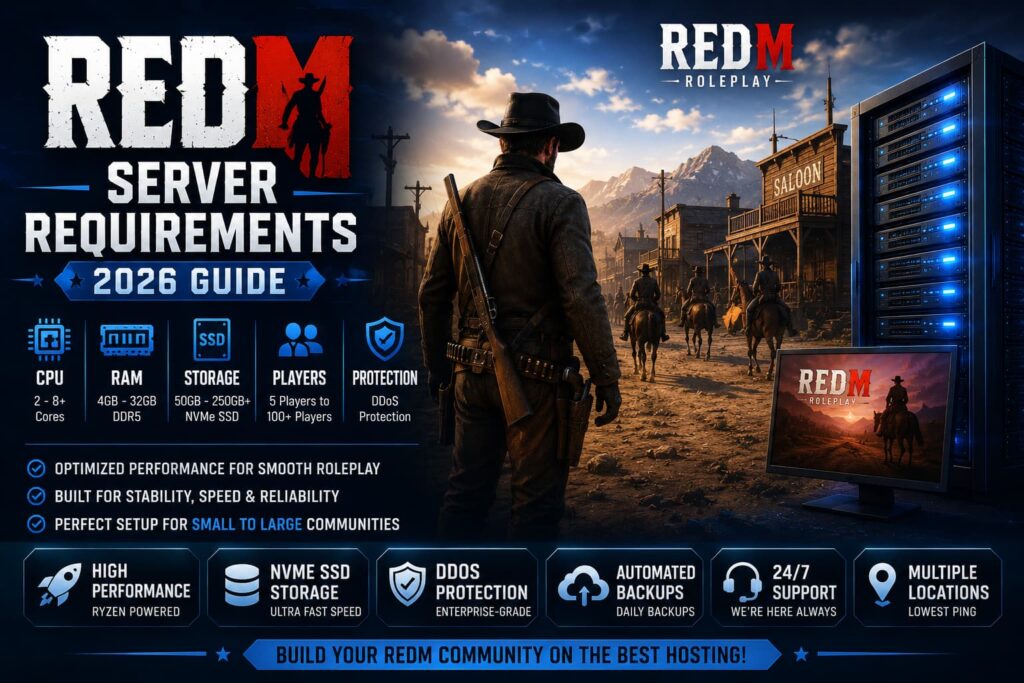
RedM has become one of the most popular multiplayer platforms for Red Dead Redemption 2, allowing players to create immersive roleplay communities, custom game modes, and unique Wild West experiences. However, before launching a server, one of the most common questions server owners ask is: What are the actual RedM server requirements?
The answer depends on several factors, including player count, scripts, custom resources, and server activity. In this guide, we’ll break down everything you need to know about RedM server requirements in 2026.
What Is RedM?
RedM is a multiplayer modification framework for Red Dead Redemption 2 developed by Cfx.re, the same team behind FiveM. It allows players to create custom multiplayer servers with unique jobs, economies, roleplay systems, and gameplay mechanics.
Running a RedM server requires reliable hardware because modern roleplay communities often use dozens of scripts, custom maps, and database-driven systems.
If you’re planning to launch a roleplay server, choosing quality RedM Server Hosting form the revive hosting is one of the most important decisions you’ll make.
Minimum RedM Server Requirements
For a small private server with a few friends, the following specifications are generally enough:
CPU
- 2 CPU Cores
RAM
- 4 GB RAM
Storage
- 50 GB SSD Storage
Network
- Stable High-Speed Connection
Player Capacity
- 5–15 Players
These requirements are suitable for basic servers running limited resources and minimal custom content.
Recommended RedM Server Requirements
Most public communities should start with:
CPU
- 4 Ryzen CPU Cores
RAM
- 8–12 GB DDR5 RAM
Storage
- 100–150 GB NVMe SSD
Backups
- Daily Automated Backups
Protection
- Advanced DDoS Protection
Player Capacity
- 20–60 Players
This setup provides smoother gameplay and better stability for growing roleplay communities.
Large Community RedM Server Requirements
Large roleplay servers with advanced economies, custom jobs, housing systems, and extensive scripts require significantly more resources.
CPU
- 6–8 Ryzen CPU Cores
RAM
- 16–32 GB RAM
Storage
- 250+ GB NVMe SSD
Database
- Dedicated MySQL Optimization
Player Capacity
- 100+ Players
As player counts increase, server optimization becomes more important than simply adding hardware.
Why CPU Performance Matters Most
Many new server owners focus only on RAM, but RedM relies heavily on CPU performance.
A powerful Ryzen processor helps with:
- Faster script execution
- Better synchronization
- Reduced server lag
- Improved player experience
- Stable tick rates
This is why modern hosting providers increasingly use Ryzen-powered infrastructure instead of older hardware.
How Much RAM Does a RedM Server Need?
RAM requirements depend on the size of your community.
Small Roleplay Servers
4–8 GB RAM
Medium Communities
8–16 GB RAM
Large Communities
16–32 GB RAM
If you plan to run custom maps, housing systems, inventories, and economy frameworks, additional memory becomes essential.
NVMe SSD vs Traditional SSD
Storage speed directly impacts loading times and database performance.
NVMe SSD Benefits
- Faster world loading
- Faster database access
- Better save performance
- Reduced lag spikes
- Improved overall responsiveness
Modern RedM Server Hosting should always include NVMe SSD storage whenever possible.
Do You Need DDoS Protection?
Absolutely.
Gaming servers are common targets for attacks.
Without protection, a single attack can cause:
- Server downtime
- Lost players
- Interrupted roleplay sessions
- Community frustration
Professional hosting providers include enterprise-level DDoS mitigation to help keep communities online.
RedM Hosting vs VPS Hosting
Many server owners compare dedicated RedM hosting with VPS solutions.
RedM Hosting
Pros:
- Easy setup
- Optimized environment
- Beginner friendly
- Built specifically for RedM
VPS Hosting
Pros:
- Full root access
- Greater flexibility
- Multiple applications
- Complete customization
For most roleplay communities, dedicated RedM Server Hosting is the easiest solution. Advanced users who want maximum control may prefer Gaming VPS Hosting.
Choosing the Right Server Location
Latency plays a major role in multiplayer performance.
Choose a location closest to your players.
North America
USA Servers
Europe
Germany Servers
International Communities
Central Locations
Lower ping results in smoother interactions and better synchronization.
Related Hosting Solutions
Many community owners eventually expand into multiple gaming projects.
Depending on your needs, you may also consider:
- FiveM Server Hosting
- Minecraft Server Hosting
- Palworld Server Hosting
- Gaming VPS Hosting
This allows you to run multiple communities under a single infrastructure provider.
Final Thoughts
Understanding RedM server requirements is essential before launching a multiplayer community. While small private servers can operate with modest resources, larger roleplay communities require powerful CPUs, sufficient RAM, NVMe SSD storage, and reliable DDoS protection.
For most growing communities in 2026, a Ryzen-powered server with 8–16 GB RAM and NVMe storage provides the best balance between performance and cost.
Investing in quality hosting from the beginning can help prevent lag, downtime, and scalability issues as your community grows.
Frequently Asked Questions
How Much RAM Does a RedM Server Need?
Most RedM servers require between 4 GB and 16 GB RAM depending on player count and installed resources.
What CPU Is Best For RedM Servers?
Modern Ryzen processors provide excellent performance for RedM due to their strong single-core and multi-core capabilities.
Does RedM Require NVMe SSD Storage?
While not mandatory, NVMe SSD storage significantly improves loading times and database performance.
How Many Players Can A RedM Server Handle?
This depends on hardware and optimization. Well-configured servers can support 100+ concurrent players.
Is VPS Better Than RedM Hosting?
For advanced users, VPS hosting offers more flexibility. Most server owners benefit from dedicated RedM hosting.
Does RedM Hosting Include DDoS Protection?
Most professional hosting providers include DDoS protection to help keep servers online and secure.
Can I Upgrade My RedM Server Later?
Yes. Most hosting providers allow you to increase CPU, RAM, and storage as your community grows.