
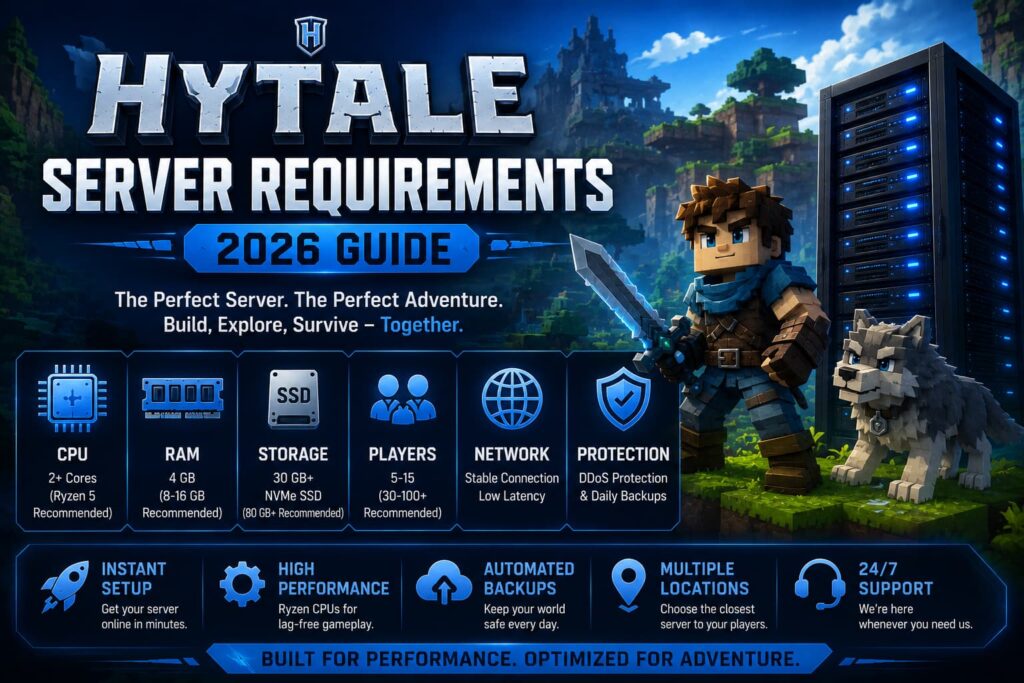
If you’re planning to launch a Hytale multiplayer server, one of the first questions you’ll have is: What are the Hytale server requirements?
Choosing the right hardware is important because server performance directly affects player experience. A server with insufficient RAM, slow storage, or weak CPU resources can cause lag, delayed chunk loading, poor tick rates, and frequent crashes as your community grows.
In this guide, we’ll explain the minimum and recommended Hytale server requirements, what hardware actually matters, and how to choose the right hosting plan for your server.
What Are Hytale Server Requirements?
Although Hytale is designed to scale well for multiplayer gameplay, every server requires sufficient computing resources to keep gameplay smooth.
The most important requirements include:
- Modern multi-core processor
- Enough RAM for players and plugins
- NVMe SSD storage
- Reliable internet connection
- DDoS protection
- Low-latency server location
The exact requirements depend on player count, world size, mods, and custom content.
Minimum Hytale Server Requirements
For a small private server with friends:
| Resource | Minimum |
|---|---|
| CPU | 2 Cores |
| RAM | 4 GB |
| Storage | 30 GB NVMe SSD |
| Players | 5-15 |
| Internet | Stable connection |
This setup works well for testing worlds or small survival servers.
Recommended Hytale Server Requirements
If you’re planning to build a public community, you’ll need more powerful hardware.
| Resource | Recommended |
|---|---|
| CPU | Ryzen 5 / Ryzen 7 |
| RAM | 8-16 GB |
| Storage | 80-150 GB NVMe SSD |
| Players | 30-100+ |
| Backups | Daily |
| DDoS Protection | Included |
This configuration offers smoother gameplay, faster loading times, and room for future growth.
If you’re looking for reliable Hytale Server Hosting, choose infrastructure that uses Ryzen CPUs, NVMe SSD storage, and enterprise-grade DDoS protection rather than older shared hardware.
How Much RAM Does a Hytale Server Need?
RAM requirements mainly depend on:
- Number of players
- World size
- Mods
- Plugins
- Background services
General guideline:
- 4 GB → Small private servers
- 8 GB → Medium communities
- 12-16 GB → Large public servers
- 16 GB+ → Heavy modded gameplay
Adding too much RAM doesn’t always improve performance. A faster CPU is often more important than excessive memory.
Why CPU Performance Matters
Many server owners only focus on RAM.
In reality, the processor has a much bigger impact on overall gameplay.
Modern Ryzen processors provide:
- Faster world generation
- Better entity processing
- Lower server lag
- Stable TPS
- Improved multiplayer synchronization
This is why premium hosting providers prioritize Ryzen CPUs over older hardware.
Why NVMe SSD Storage Is Important
Storage speed affects much more than loading times.
NVMe SSDs help with:
- Faster startup
- Reduced world loading delays
- Faster backups
- Better database performance
- Quicker chunk generation
Traditional HDD storage is no longer recommended for modern multiplayer servers.
Choosing the Best Server Location
Server location directly impacts latency.
Always choose the location closest to the majority of your players.
For example:
- North America → USA
- Europe → Germany
- UK Communities → London
- Asia → Singapore
Lower latency creates smoother multiplayer gameplay and reduces connection issues.
Features You Should Look For
The best Hytale hosting providers usually include:
- Ryzen processors
- DDR5 RAM
- NVMe Gen4 SSD storage
- Free DDoS protection
- Automatic backups
- Instant deployment
- One-click server management
- 24/7 technical support
These features reduce maintenance while improving overall server stability.
Hytale Hosting vs Gaming VPS
Many users ask whether they should purchase dedicated Hytale hosting or a VPS.
Dedicated Hytale hosting is ideal if you want:
- Easier management
- Faster deployment
- Automatic updates
- Built-in game panel
- Lower maintenance
A Gaming VPS Hosting solution is better suited for developers or users who want complete server control, root access, and the ability to host multiple applications alongside their game server.
Can Hytale Servers Be Upgraded Later?
Yes.
As your community grows, you can upgrade RAM, storage, and CPU resources without rebuilding your server from scratch.
Choosing scalable hosting prevents unnecessary downtime when your player count increases.
Final Thoughts
Choosing the right Hytale server requirements is about balancing performance, scalability, and reliability.
For small private servers, a basic configuration is enough.
However, if you’re planning to build a long-term multiplayer community, investing in modern hardware like Ryzen processors, NVMe SSD storage, and reliable DDoS protection will provide a much better experience for your players.
Whether you’re launching your first server or preparing for a large public community, at Revive Hosting, choosing high-quality Hytale Server Hosting ensures smooth gameplay and room to grow.
Frequently Asked Questions
How much RAM does a Hytale server need?
Small servers usually require around 4 GB of RAM, while larger multiplayer communities often benefit from 8–16 GB depending on player count and mods.
What CPU is best for Hytale hosting?
Modern Ryzen processors are generally recommended because they offer excellent single-core and multi-core performance for multiplayer game servers.
Is NVMe SSD necessary?
Yes. NVMe SSD storage significantly improves world loading, backups, and overall server responsiveness compared to traditional HDD storage.
Can I run mods on a Hytale server?
Yes. As the Hytale ecosystem grows, servers with more mods and custom content will require additional RAM, storage, and CPU resources.
Should I choose Hytale Hosting or a VPS?
If you only want to host a Hytale server, dedicated Hytale Server Hosting is usually the easiest option. If you need complete server control or want to run multiple services, Gaming VPS Hosting is the better choice.