
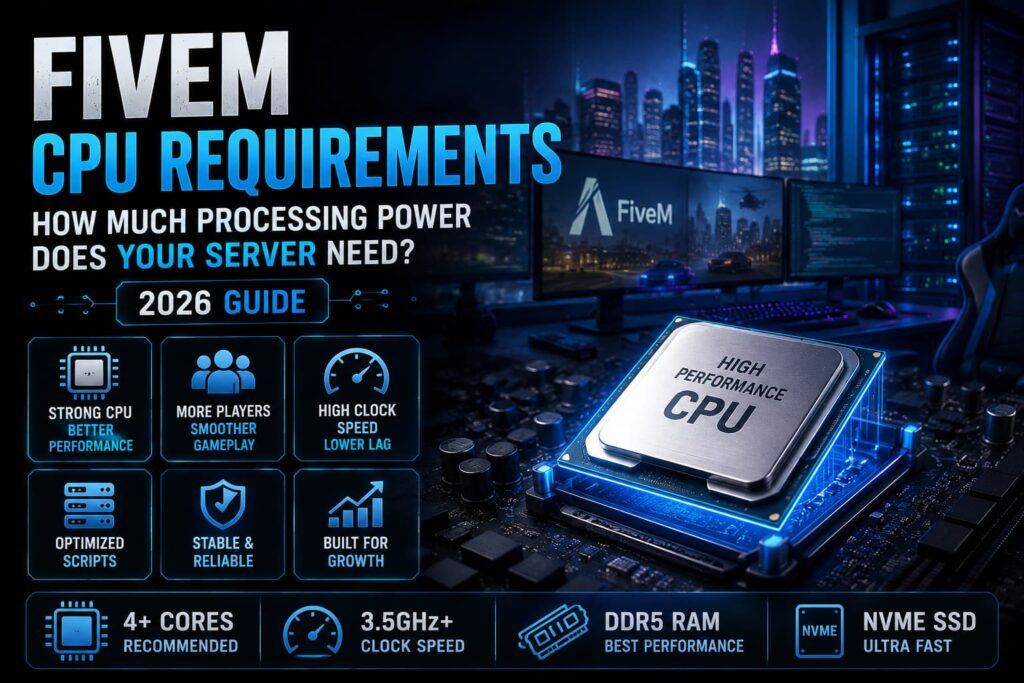
CPU performance plays an important role in keeping a FiveM server responsive. Your processor handles server-side scripts, player synchronization, game logic, database operations, and many of the resources that make a GTA V roleplay server work.
But how powerful does a FiveM server CPU actually need to be?
For a small private or development server, a modern mid-range processor can be enough. Larger roleplay communities with extensive scripts, custom resources, and more active players need additional CPU headroom.
In this guide, we’ll explain FiveM CPU requirements, what matters when choosing a processor, how player count affects CPU usage, and how to avoid wasting money on hardware your server doesn’t need.
If you’re comparing hosting options, you can also explore FiveM Server Hosting to see what hardware and resources are available for different server sizes.
Why Does CPU Matter for a FiveM Server?
The CPU processes many of the calculations and server-side tasks required to keep your FiveM server running.
Depending on your setup, the processor may handle:
- Server scripts and resources
- Player synchronization
- Gameplay logic
- NPC and AI-related processing
- Jobs and economy systems
- Inventory systems
- Database interactions
- Custom gameplay mechanics
As your server becomes more complex, CPU usage can increase.
This is particularly important for heavily customized roleplay servers running large numbers of scripts and resources.
Having 32GB of RAM, for example, won’t automatically fix a server that is struggling because its CPU is reaching its limits.
What Are the Minimum FiveM CPU Requirements?
There isn’t a single official CPU specification that applies to every FiveM server.
For a small development or private server, a modern 4-core processor can be a reasonable starting point.
A basic configuration could include:
- Modern 4-core CPU
- Strong single-core performance
- 4GB+ RAM
- SSD storage
- Stable network connection
This can be sufficient for testing, development, or a small server with a limited number of resources.
For a public roleplay community, however, choosing a processor with additional performance headroom is a better approach.
What Is the Best CPU for a FiveM Server?
The best CPU depends on your server’s workload rather than simply choosing the processor with the highest core count.
Modern CPUs from both AMD and Intel can perform well for FiveM. When comparing processors, pay attention to:
- Single-core performance
- CPU architecture
- Clock speeds
- Number of available cores
- Overall CPU performance
- Hosting environment
- Resource usage
Modern AMD Ryzen 5, Ryzen 7, and Ryzen 9 processors can all be suitable depending on the size and complexity of your server.
For larger communities, a higher-end processor provides more headroom for demanding resources and future growth.
How Many CPU Cores Does a FiveM Server Need?
FiveM doesn’t simply require a specific number of cores.
A small server can operate on a modern 4-core processor, while larger communities may benefit from CPUs with 6, 8, or more high-performance cores.
The important distinction is that having more cores doesn’t automatically make a FiveM server faster.
Your workload determines how much CPU capacity you actually need.
A server running a relatively small number of optimized resources may not benefit much from a large number of additional cores. On the other hand, a heavily customized community running many resources simultaneously can benefit from additional CPU capacity.
Does Clock Speed Matter for FiveM?
Yes, clock speed matters, but it shouldn’t be the only specification you consider.
FiveM workloads can benefit from strong single-core CPU performance, which makes modern high-performance processors particularly useful for game-server workloads.
However, comparing CPUs purely by GHz can be misleading.
For example, a newer CPU running at a similar frequency to an older processor can still provide significantly better real-world performance because of improvements in architecture and efficiency.
When choosing a FiveM CPU, look at overall single-core performance and CPU generation, rather than selecting the processor with the highest advertised clock speed.
CPU Requirements by FiveM Server Size
Player count is useful when estimating your hardware needs, but it should not be used as a strict CPU calculator.
A 30-player server running a few lightweight resources may use less CPU than a 20-player server running a heavily customized roleplay framework.
Still, the following provides a practical starting point:
| Server Type | CPU Starting Point |
|---|---|
| Development / Testing | Modern 4-core CPU |
| Small Private Server | Modern 4-core or 6-core CPU |
| Small Public Server | Modern 6-core CPU |
| Growing Roleplay Server | Modern 6–8 core CPU |
| Large / Heavily Customized Server | High-performance Ryzen 7 / Ryzen 9 or equivalent |
These are starting points, not hard FiveM requirements.
Your actual CPU usage should be monitored after your scripts and resources are installed.
What Increases FiveM CPU Usage?
Several factors can increase processor usage on a FiveM server.
Number of Active Players
More players can increase the amount of data and gameplay activity your server needs to process.
However, player count alone doesn’t determine CPU usage.
Scripts and Resources
Every server resource adds some workload.
Poorly optimized scripts can consume significantly more CPU than well-optimized alternatives.
Large roleplay servers often run dozens or hundreds of resources, making resource quality particularly important.
QBCore and ESX Resources
Frameworks themselves aren’t necessarily the main source of CPU usage.
The individual resources running on top of them can have a much larger effect.
Jobs, inventories, police systems, economy mechanics, phone systems, housing, vehicles, and other gameplay resources can all contribute to CPU workload.
If you’re building a QBCore server, our guide to the best QBCore scripts for FiveM can help you evaluate resources before adding them.
For ESX communities, see our guide to the best ESX scripts for FiveM.
Database Activity
Roleplay servers often rely heavily on databases for player information, inventories, vehicles, jobs, economies, and other persistent data.
Frequent or inefficient database queries can contribute to server workload.
Custom Gameplay Systems
Advanced mechanics and custom resources can increase CPU requirements, particularly when they perform frequent calculations or loops.
Does RAM or CPU Matter More for FiveM?
CPU and RAM perform different jobs, so neither should be considered a replacement for the other.
CPU handles processing, including:
- Scripts
- Server calculations
- Player synchronization
- Gameplay logic
RAM provides working memory for:
- Active resources
- Server processes
- Player data
- Other running applications and services
If your server has insufficient RAM, adding CPU power won’t solve the memory limitation.
Likewise, adding more RAM won’t fix a CPU that is consistently overloaded.
For a complete hardware overview, read our guide to FiveM Server Requirements.
You can also learn more about memory specifically in our guide on how much RAM a FiveM server needs.
Can a Weak CPU Cause FiveM Server Lag?
Yes.
If your CPU is consistently reaching its limits, the server may struggle to process scripts and other server-side tasks quickly enough.
You may notice:
- Delayed script execution
- Poor server responsiveness
- Increased server-side delays
- Resource performance problems
- Problems during periods of high activity
However, CPU isn’t the only possible cause of FiveM lag.
Poorly optimized scripts, database problems, network issues, insufficient RAM, and other configuration problems can also affect performance.
Before upgrading your CPU, identify which resource or system is actually creating the bottleneck.
How to Reduce FiveM CPU Usage
You don’t always need a more powerful CPU to improve performance.
Start by optimizing the server you already have.
1. Remove Unused Resources
Disable scripts and resources that your community no longer uses.
2. Review Resource Performance
Identify resources that consistently consume excessive CPU and investigate whether they can be optimized or replaced.
3. Reduce Unnecessary Loops
Scripts that constantly execute unnecessary checks can create avoidable CPU workload.
4. Optimize Database Queries
Poorly designed or excessive database queries can increase overall server workload.
5. Keep Resources Updated
Outdated resources may contain performance issues that have already been addressed in newer versions.
6. Monitor CPU Usage
Don’t upgrade blindly. Monitor your server during normal and peak activity to determine whether CPU is actually the limiting factor.
For additional performance improvements, read our guide on how to speed up your FiveM server.
Ryzen vs Intel for FiveM
Both AMD Ryzen and Intel processors can provide excellent performance for FiveM.
Rather than choosing a CPU based solely on its brand, compare the actual performance of the processor you’re considering.
AMD Ryzen
Modern Ryzen processors are popular for gaming and game-server workloads because they offer strong performance across a wide range of price points.
Intel
Modern Intel processors can also provide excellent single-core and overall performance and are suitable for FiveM server workloads.
For most server owners, the specific CPU model matters more than whether it is AMD or Intel.
A newer high-performance processor from either manufacturer can be a better choice than an older CPU with a higher advertised core count or clock speed.
What Other Hardware Does a FiveM Server Need?
CPU is only one part of a reliable FiveM hosting setup.
You should also consider:
- RAM capacity
- NVMe SSD storage
- Network quality
- DDoS protection
- Backup infrastructure
- Server management tools
For example, fast NVMe storage can improve file and data operations, while reliable networking helps maintain consistent connectivity for players.
If you’re still deciding between different hosting environments, our guide to FiveM Hosting vs VPS Hosting explains the differences between specialized FiveM hosting and VPS hosting.
Choosing FiveM Hosting With the Right CPU
When comparing FiveM hosting providers, don’t look at CPU specifications in isolation.
Check what processor resources are actually included with the hosting plan and whether you can scale your resources as your community grows.
Revive Hosting’s FiveM infrastructure uses Ryzen 9 7900 processors, along with NVMe Gen4 storage, DDR5 memory, DDoS protection, backups, and FiveM management features.
You can compare the available FiveM Server Hosting plans and choose a configuration based on your server’s current workload and expected growth.
How to Choose the Right FiveM CPU
Instead of asking, “Which CPU has the most cores?” consider these questions:
How many players will be online?
Expected player count gives you a starting point for estimating workload.
How many resources will you run?
A heavily customized server needs more CPU headroom than a basic configuration.
Which framework are you using?
QBCore, ESX, Qbox, vMenu, and custom setups can have different resource requirements depending on their configuration.
You can compare these frameworks in our guide to ESX, QBCore, vMenu, and Qbox.
Are you expecting your community to grow?
If your player base is growing quickly, choosing a CPU with additional capacity can help you avoid upgrading again shortly after launch.
Final Thoughts
The right FiveM CPU requirements depend on your server’s workload rather than a single specification.
A small private or development server can work well with a modern 4-core processor, while growing public communities may benefit from 6–8 high-performance cores. Larger and heavily customized servers can require even more CPU capacity.
When choosing a processor, prioritize modern architecture, strong single-core performance, sufficient overall CPU capacity, and room for future growth.
And remember that CPU is only one part of the equation. RAM, storage, networking, scripts, database performance, and server optimization all contribute to the overall FiveM experience.
For a hosting environment designed around FiveM workloads, check out FiveM Server Hosting.
Frequently Asked Questions
What CPU does a FiveM server need?
A small FiveM server can start with a modern 4-core CPU. Public and more heavily customized servers may benefit from 6–8 or more high-performance cores depending on their workload.
Is single-core performance important for FiveM?
Yes. FiveM workloads can benefit from strong single-core performance, so CPU architecture and per-core performance should be considered alongside total core count.
Is Ryzen good for FiveM servers?
Yes. Modern Ryzen processors can provide excellent performance for FiveM servers, particularly models with strong single-core and overall CPU performance.
How many CPU cores does a FiveM server need?
There is no universal core requirement. A modern 4-core CPU can be suitable for small servers, while larger communities may benefit from 6, 8, or more cores.
Does more CPU reduce FiveM lag?
More CPU capacity can help when processor usage is causing a bottleneck. However, lag can also come from scripts, RAM, networking, databases, or other server configuration problems.
Is CPU more important than RAM for FiveM?
CPU and RAM serve different purposes. CPU handles processing while RAM provides working memory. A FiveM server needs enough of both for its workload.
What is the best CPU for a large FiveM server?
A modern high-performance Ryzen 7, Ryzen 9, or comparable Intel processor can be suitable for a large FiveM server. The ideal model depends on player count, resources, and overall server workload.
Can I upgrade my FiveM CPU later?
Yes, depending on your hosting environment. Choosing a scalable hosting provider allows you to increase resources as your server and community grow.