
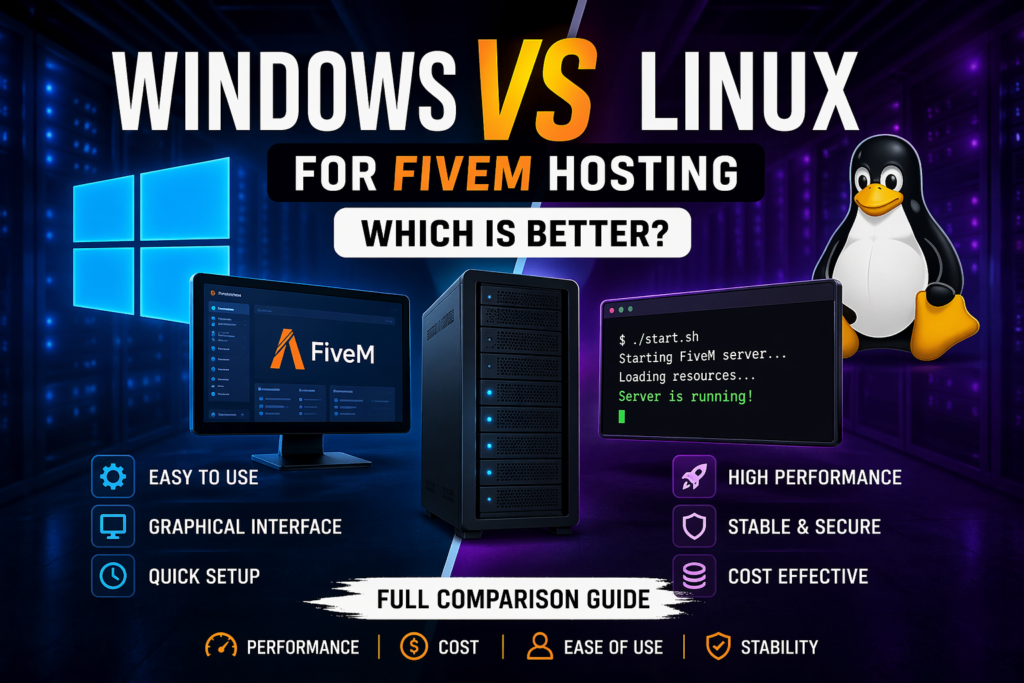
Choosing the right operating system is an important part of setting up a FiveM server. Your choice can affect resource usage, server management, compatibility with your tools, and the overall complexity of running your server.
If you’re looking for FiveM server hosting, both Windows and Linux can be viable options. The better choice depends on how you plan to manage your server, what tools you use, and how much control you want over the environment.
Linux is commonly preferred for dedicated game-server environments because it is lightweight and gives administrators more control over system resources. Windows can be a good choice for users who prefer a graphical interface and are more comfortable with the Windows environment.
Let’s compare both options.
Why Your OS Choice Matters for FiveM
The operating system is the foundation on which your FiveM server runs. It can influence:
- CPU and RAM usage
- Server administration
- Software and tool compatibility
- Security configuration
- Maintenance requirements
- Hosting costs
However, the operating system is only one part of server performance. Your CPU, RAM, storage, network quality, server configuration, scripts, and player count can also have a major impact.
For a better understanding of the hardware side, see our guides on FiveM CPU requirements and how much RAM a FiveM server needs.
Windows Hosting for FiveM
Windows Server provides a familiar graphical environment and can be easier for users who are already comfortable managing Windows applications.
Advantages of Windows
1. Familiar Graphical Interface
Windows provides a desktop-based interface that can make file management and general server administration more familiar for beginners.
2. Easy File and Application Management
Users who regularly work with Windows may find it easier to navigate server files, install applications, and manage configuration files through a graphical environment.
3. Beginner-Friendly for Windows Users
If you already manage your development tools or other applications on Windows, staying within the same environment can reduce the learning curve.
Disadvantages of Windows
1. Higher System Overhead
A Windows Server installation can require more system resources than a minimal Linux installation, particularly when additional graphical components and services are running.
That means some of your available resources may be used by the operating system rather than your FiveM server.
2. Windows Licensing
Windows Server may involve additional licensing costs depending on your hosting provider and setup.
3. More Administration Overhead for Some Setups
For a dedicated FiveM environment, users who don’t need a graphical interface may prefer Linux because command-line administration can be lightweight and efficient.
Linux Hosting for FiveM
Linux is widely used for server infrastructure because distributions can be configured with relatively little system overhead and provide extensive control through the command line.
For FiveM server owners, this can make Linux an attractive option, particularly when server administration and resource efficiency are priorities.
Advantages of Linux
1. Efficient Resource Usage
A minimal Linux server can run without a full graphical desktop environment. This allows more of the available CPU and RAM to be dedicated to the FiveM server and its resources.
2. No Linux Licensing Fee
Most Linux distributions used for server hosting are open source and do not require a Windows-style operating-system license.
Your hosting provider can still charge for the underlying server and managed services, but the operating system itself generally doesn’t add a separate license fee.
3. Flexible Server Management
Linux gives administrators extensive control over services, processes, permissions, networking, and other server-level settings.
4. Well Suited to Server Environments
Linux is widely used for web servers, databases, cloud infrastructure, and game-server environments. Its lightweight configurations can work particularly well when you want to dedicate server resources to your application.
Disadvantages of Linux
1. Steeper Learning Curve
Linux administration often involves the command line. Beginners may need to learn basic commands for navigating files, managing services, checking processes, and troubleshooting.
2. Less Familiar for Some Users
If you have only worked with Windows, Linux administration can initially feel less intuitive.
3. More Manual Configuration on Unmanaged Servers
If you’re using an unmanaged VPS or dedicated server, you may be responsible for configuring the operating system, firewall, updates, permissions, and other server components yourself.
Windows vs Linux for FiveM: Performance Comparison
| Feature | Windows | Linux |
|---|---|---|
| Resource overhead | Generally higher | Can be very low with a minimal setup |
| Graphical interface | Yes | Optional |
| Command-line administration | Available | Core administration method |
| Licensing | May involve Windows licensing | Usually no OS licensing fee |
| Beginner familiarity | High for Windows users | Lower initially |
| Server customization | High | Very high |
| Resource efficiency | Good | Excellent potential with minimal setup |
The important point is that Linux does not automatically make a FiveM server faster.
The actual performance of your server depends on the complete environment, including CPU performance, RAM, storage, network quality, scripts, framework, and server configuration.
Which OS Should You Choose?
There is no single answer for every FiveM server.
Choose Windows if:
- You are more comfortable with Windows
- You prefer a graphical interface
- You want a familiar environment for file and application management
- Your specific tools or workflow are easier to manage on Windows
Choose Linux if:
- You want a lightweight server environment
- You are comfortable with command-line administration
- You want greater control over server resources
- You are managing an unmanaged VPS or dedicated server
- You want to avoid Windows operating-system licensing costs
Is Linux Better for Large FiveM Servers?
Linux can be a strong option for larger servers because a minimal installation can leave more resources available for the FiveM server itself.
However, server size alone doesn’t mean you must use Linux.
A large FiveM community can run successfully on different operating systems depending on the hosting environment, hardware, server configuration, and management requirements.
If your server is growing, hardware selection becomes just as important as the OS. Check the FiveM Server Requirements guide before choosing your server size.
Does Linux Improve FiveM Server Performance?
Linux can reduce operating-system overhead when configured as a minimal server environment, but it isn’t a magic performance upgrade.
For example, if your server is experiencing CPU bottlenecks because of heavy scripts or resources, changing the operating system won’t necessarily solve the underlying problem.
Likewise, increasing bandwidth won’t fix every performance issue.
For a broader look at performance optimization, see our guide on how to speed up your FiveM server.
What About FiveM Frameworks and Scripts?
Your framework and resources can have a much more noticeable effect on server resource usage than the operating system alone.
Popular FiveM frameworks include ESX, QBCore, vMenu, and Qbox. You can compare them in our guide to ESX, QBCore, vMenu, and Qbox.
If you’re running a heavily customized server, also pay attention to the scripts and resources you install. Poorly optimized resources can consume significant server resources regardless of whether you’re using Windows or Linux.
You can also check our guides to the best QBCore scripts for FiveM and best ESX scripts for FiveM when building your server.
Windows vs Linux: What About Security?
Both Windows and Linux can be secured effectively.
The operating system itself should not be treated as a guarantee of server security.
Security depends on factors such as:
- Keeping the operating system updated
- Configuring firewall rules correctly
- Using strong authentication
- Limiting unnecessary services
- Managing user permissions
- Keeping FiveM resources updated
- Using DDoS protection at the hosting level
Therefore, saying that Linux is automatically “safer” than Windows is too simplistic.
Your hosting environment and server configuration matter just as much.
Windows vs Linux: Which Is Cheaper?
Linux can reduce hosting costs when your provider charges separately for Windows licensing.
However, the total cost depends on the hosting provider, server resources, management services, backups, DDoS protection, and other included features.
So the correct comparison is not simply:
Linux = cheap
Windows = expensive
Instead, compare the complete hosting package and what you actually receive.
Managed FiveM Hosting vs Managing Your Own Server
Your operating system decision also depends on how much server administration you want to handle yourself.
With an unmanaged VPS or dedicated server, you may need to configure and maintain the operating system yourself.
With managed FiveM server hosting, many server-management tasks can be handled through the hosting environment, giving you more time to focus on your FiveM community.
This is particularly useful if you don’t want to spend your time troubleshooting operating-system configuration.
Which One Is Better for FiveM?
For many technically comfortable server owners, Linux is a practical choice for FiveM because of its lightweight server configurations and flexibility.
But Windows remains a valid option, especially for users who prioritize familiarity and graphical administration.
The right decision comes down to:
Linux: Better suited to users who prioritize resource efficiency, control, and server administration.
Windows: Better suited to users who prefer familiarity, graphical management, and the Windows environment.
There is no universal requirement that FiveM servers must run on one operating system.
Choosing the Right FiveM Hosting Setup
If you don’t want to manage the operating system and server infrastructure yourself, choosing a hosting provider can simplify the process.
With FiveM Server Hosting, you can focus on your server configuration, frameworks, scripts, and community instead of spending all your time managing the underlying infrastructure.
When comparing providers, look at:
- CPU performance
- RAM availability
- NVMe storage
- DDoS protection
- Backup options
- Server locations
- Control-panel features
- FiveM and txAdmin support
- Technical support
You can compare the available FiveM Hosting plans to see what resources and features are included.
Final Verdict
Both Windows and Linux can work for FiveM hosting.
Linux is generally the stronger choice for users who want a lightweight, flexible server environment and are comfortable with command-line administration. Windows is a good alternative for users who prefer a graphical interface and are more familiar with the Windows environment.
Rather than choosing an OS based only on performance claims, consider your technical experience, hosting model, server configuration, and management requirements.
Frequently Asked Questions
Which OS is better for FiveM hosting?
Linux is a strong choice for FiveM hosting because a minimal Linux setup can use fewer system resources and provides extensive server-management flexibility. Windows can also run FiveM and may be preferable for users who want a familiar graphical environment.
Is Windows good for FiveM hosting?
Yes. Windows can be used for FiveM hosting and is particularly convenient for users who are already comfortable with Windows administration.
Does Linux make FiveM servers faster?
Not automatically. A minimal Linux installation can reduce operating-system overhead, but FiveM performance also depends on CPU, RAM, storage, scripts, framework, configuration, and network conditions.
Is Linux cheaper than Windows for FiveM?
Linux generally doesn’t require an operating-system licensing fee, while Windows Server may involve licensing costs. However, the total hosting price depends on the provider and included services.
Can beginners use Linux for a FiveM server?
Yes. Beginners can use Linux, but they may need to learn basic command-line and server-administration skills.
Does FiveM work on both Windows and Linux?
Yes. FiveM server deployments can be run on both Windows and Linux environments, so your choice should be based on your management preferences and hosting setup.
Start Your FiveM Server
Choosing the operating system is only one part of building a reliable FiveM server. Your hardware, server configuration, resources, and hosting environment all contribute to the experience.
If you want a managed environment without handling every server administration task yourself, FiveM Server Hosting can provide a simpler starting point.
With the right hosting setup, you can focus on building your server, configuring your framework, and growing your community.